Blog Details
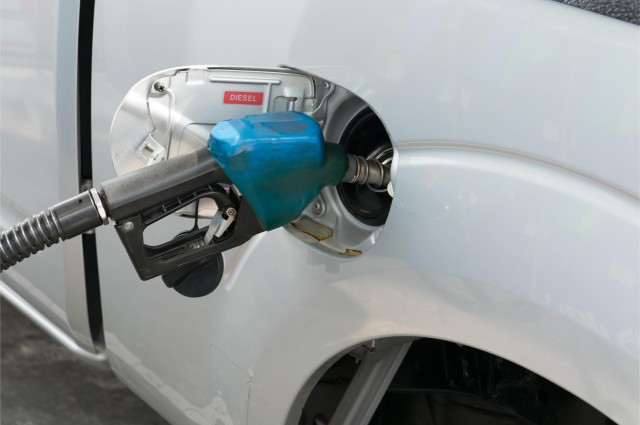
How to Work SeeMove fuel Monitoring?
To work with SeeMove for full vehicle monitoring, you typically need to follow a few steps involving both hardware (such as GPS trackers) and software tools. SeeMove is a fleet management and vehicle tracking software solution that provides real-time monitoring of vehicles, helping businesses manage logistics, improve efficiency, and ensure vehicle safety. Here's a general guide on how to set up and use SeeMove for full vehicle monitoring:
1. Understand SeeMove Features
- Real-time GPS tracking: You can see where your vehicles are at any given moment.
- Geofencing: Set boundaries for your vehicles and get notified if they enter or leave designated areas.
- Vehicle diagnostics: Some systems provide real-time data on fuel usage, engine health, and other diagnostics.
- Driver behavior monitoring: Track speed, harsh braking, acceleration, and other driving habits.
- Route optimization: Helps improve fuel efficiency and reduce travel time by suggesting optimal routes.
- Alerts & Notifications: Get real-time alerts for speeding, unauthorized use, or other unusual activities.
2. Set Up the Hardware
To monitor vehicles through SeeMove, you’ll typically need a GPS tracking device installed in each vehicle. The steps are:
- Install GPS tracker: Depending on your SeeMove solution, you’ll need a compatible GPS tracker installed in each vehicle. This can be done by a technician or following the manufacturer’s instructions.
- Devices often connect to the vehicle’s OBD-II port (found in most modern vehicles) or may be hardwired into the vehicle’s electrical system.
- Connect to the vehicle’s CAN bus: Some advanced systems may require the GPS tracker to connect to the vehicle’s CAN (Controller Area Network) bus to retrieve data like fuel usage, engine diagnostics, and speed.
3. Register and Log in to SeeMove Software
Once the hardware is installed:
- Sign up for an account: If you don't have one yet, register for a SeeMove account on their platform (usually on the web, but some solutions have mobile apps as well).
- Log in: Access the dashboard using your credentials.
4. Connect GPS Trackers to SeeMove Platform
After logging in, you need to link the GPS tracking devices to the platform:
- Add Vehicles: Input vehicle details (make, model, license plate number, etc.).
- Link Devices: Once vehicles are registered, link the installed GPS trackers to each vehicle profile. This might involve inputting serial numbers or device IDs.
- Verify Connection: Ensure that the devices are transmitting data by checking if the location and status appear correctly on the dashboard.
5. Configure Settings
Customize the monitoring system to fit your needs:
- Set Geofences: Create virtual boundaries around certain areas. For instance, you can set alerts if a vehicle goes outside of a designated area or enters a restricted zone.
- Define Alerts: Set up rules for speed limits, fuel usage, idle times, and any other behaviors you want to monitor. Configure notifications to be sent via email, SMS, or app notifications.
- Set Vehicle Maintenance Schedules: Many tracking systems allow you to set up reminders for oil changes, tire rotations, or other maintenance tasks based on the vehicle's usage.
6. Monitor in Real-Time
Use the dashboard to monitor your fleet:
- Live Map View: See the real-time location of all vehicles on a map. You can view information like speed, fuel levels, and diagnostic data depending on the system capabilities.
- Driver Behavior: Track metrics like harsh braking, speeding, and idling times to improve driver performance.
- Reports: Generate reports that analyze vehicle activity, driving patterns, fuel consumption, etc. These can help optimize routes and improve overall fleet efficiency.
7. Review Data and Optimize Operations
After monitoring for a period, use the data collected to optimize fleet management:
- Route Optimization: Analyze traffic patterns, fuel efficiency, and delivery times to optimize future routes.
- Driver Training: Use reports on driver behavior to train drivers on improving efficiency and safety.
- Cost Management: Use data from the fleet (fuel usage, maintenance costs) to reduce operating expenses.
8. Use Mobile App (Optional)
Many fleet management systems, including SeeMove, offer mobile apps to monitor your vehicles on the go:
- Download the app (if available) from the App Store or Google Play.
- Log in with your account credentials and access the same features available on the web version of the dashboard, but in a mobile-friendly format.
9. Maintain the System
Regularly check and maintain your vehicle tracking system:
- Ensure GPS trackers are working and reporting data.
- Update the software as needed to benefit from new features or security improvements.
10. Advanced Features
If you have access to advanced features:
- Fuel Monitoring: Monitor fuel levels and consumption to identify discrepancies or inefficiencies.
- Integration with Other Systems: Some fleets integrate vehicle tracking with other systems like dispatch software or ERP (Enterprise Resource Planning) systems.
To dive deeper into SeeMove vehicle monitoring, here are additional features, advanced setup tips, and best practices for optimizing the system:
11. Advanced Vehicle Diagnostics and Maintenance Monitoring
-
Vehicle Health Monitoring: Many GPS devices integrated with SeeMove allow for deeper diagnostics by connecting to the vehicle’s OBD-II port or CAN bus system. This lets you monitor a range of health metrics, such as:
- Engine diagnostics: Real-time data about engine performance, including faults or potential issues.
- Fuel efficiency: Track how efficiently your vehicle is consuming fuel and identify any potential leaks or inefficiencies.
- Tire pressure: Some systems monitor tire pressure, helping prevent tire-related failures.
- Battery Health: Check the health of the vehicle's battery and set up alerts if it drops below a certain threshold.
-
Maintenance Alerts: You can configure alerts for:
- Oil changes: Based on either engine hours or distance traveled.
- Brake pad replacement: For heavy-duty vehicles, knowing when brakes are due for replacement can prevent accidents.
- Upcoming vehicle inspections: Manage compliance with regulatory inspections and avoid fines.
-
Predictive Maintenance: By tracking vehicle diagnostics data over time, SeeMove can help predict when certain parts are likely to fail or require maintenance, reducing downtime and costly repairs.
12. Fleet Management Analytics
- Behavioral Analytics: Analyzing driver behavior beyond simple metrics like speed, fuel consumption, or idle times can provide insights into how drivers contribute to the overall performance of your fleet. For example:
- Harsh acceleration or braking: Identify drivers with risky habits that could contribute to wear and tear on vehicles.
- Idle times: Minimize excessive idling to save fuel and reduce engine wear.
- Speeding patterns: Ensure that drivers stay within legal speed limits to reduce the risk of fines or accidents.
- Custom Reports: You can generate customized reports to track specific KPIs (Key Performance Indicators) such as:
- Fuel consumption over time.
- Vehicle usage patterns to optimize work schedules.
- Driver performance analysis to identify those who may need additional training or incentives.
- Trip summaries for each vehicle, detailing stops, mileage, and times of day.
13. Geofencing and Location-based Features
- Geofencing: This feature allows you to create virtual boundaries around a geographical area (e.g., a customer’s location, a warehouse, or an entire city). You will receive alerts when a vehicle enters or exits this zone. This is ideal for:
- Asset protection: Track the movement of high-value vehicles or cargo and ensure they stay within approved areas.
- Route compliance: Make sure vehicles are following pre-determined routes and stay within authorized zones.
- Job site monitoring: For construction or delivery vehicles, geofencing ensures that they are operating within specific sites or locations.
- Location-based Automation: Depending on your needs, you can automate certain functions when a vehicle enters or leaves a zone:
- Automatically trigger notifications for dispatchers or managers when a vehicle reaches a designated area.
- Trigger maintenance reminders when a vehicle arrives at the depot for regular check-ups.
- Real-Time Location Tracking: In high-priority situations, SeeMove can provide a real-time map view of all your vehicles, showing their location, speed, and direction. This feature is valuable for responding quickly to emergencies or making last-minute changes to routes.
14. Fleet Management Integrations
-
ERP Integration: For large organizations, SeeMove can be integrated with Enterprise Resource Planning (ERP) systems, allowing for more streamlined business operations. Integration helps sync fleet data (vehicle status, fuel consumption, maintenance schedules) with business functions like accounting, inventory management, and customer relations.
-
Third-Party Software: Some users integrate SeeMove with:
- Route optimization software to suggest the best routes in real-time based on current traffic, weather, and road conditions.
- CRM tools for syncing customer deliveries and statuses.
- Inventory systems to track deliveries, cargo, and locations of goods.
-
API Access: SeeMove may offer APIs that enable businesses to customize features, integrate with other software, or pull data from the system for deeper analysis in tools like business intelligence platforms.
15. Data Security and Privacy
-
Data Encryption: Ensure that all vehicle data is transmitted securely using encrypted communication methods, especially for fleet data that includes sensitive details (like locations and driver information).
-
Access Control: Set permissions based on user roles within the platform to limit access to sensitive information. For example, drivers may only have access to their own vehicle data, while fleet managers can see the whole fleet.
-
Cloud Backup: Ensure that all your vehicle data is backed up on the cloud, protecting it from data loss or system failures.
16. Advanced Driver Feedback & Coaching
-
Real-Time Feedback: Depending on your configuration, SeeMove can provide real-time feedback to drivers through a mobile app or in-cab display. For example, it may alert them if they are speeding, braking harshly, or wasting fuel.
-
Driver Scoring: Assign scores or grades to drivers based on their behavior (e.g., fuel efficiency, speed limits, safety compliance). This gamifies the process and provides a basis for rewarding safe drivers.
-
Driver Training: Use insights from the tracking system to design targeted driver training programs that focus on specific areas like eco-driving, efficient route management, and safe driving practices.
17. Fuel Management & Efficiency
-
Fuel Monitoring: Monitor fuel consumption in real-time and get alerts if a vehicle consumes more fuel than expected. This is particularly helpful for identifying:
- Fuel theft.
- Fuel inefficiencies caused by aggressive driving or improper maintenance.
- Unauthorised vehicle use: Monitor when fuel consumption spikes after hours.
-
Fuel Card Integration: Some systems integrate with fuel cards, allowing you to track fuel purchases made by drivers and compare these to actual fuel consumption data from the vehicle’s GPS tracker.
-
Fuel Efficiency Reporting: Generate reports to track fuel efficiency across the entire fleet, identifying vehicles that are costing more than others and may need maintenance or replacement.
18. Compliance and Regulatory Monitoring
-
Hours of Service (HOS) Compliance: For fleets operating in regulated industries (e.g., trucking or transportation), SeeMove can track driver hours to ensure compliance with legal regulations governing maximum driving time and mandatory breaks.
-
Automated Log Generation: For regulatory compliance, the platform can automatically generate and store driver logs, ensuring they are accurate and available for auditing when needed.
-
Fleet Licensing & Registration: Keep track of vehicle registrations, licenses, and inspection dates to ensure timely renewals and avoid penalties.
19. Scalability
-
Customizable Dashboard: As your fleet grows, you can adjust your dashboard to display the most relevant data for managers, dispatchers, and other personnel. For example, a logistics manager may prefer to view route data, while a fleet technician may want diagnostic data from all vehicles.
-
Multi-User Access: SeeMove allows you to manage multiple users with different access levels, so you can easily scale the system as your business expands.
20. Customer Support & Training
-
Technical Support: Take advantage of customer support provided by SeeMove. If you encounter issues with hardware installation, software configuration, or data reporting, reach out to the support team.
-
User Training: Ensure that your fleet managers, drivers, and other staff are properly trained on how to use SeeMove. Many platforms offer training modules, tutorials, or even live webinars.
By integrating these advanced features and following best practices, SeeMove becomes a powerful tool for managing vehicle fleets, improving efficiency, reducing operational costs, and ensuring safety. Make sure to continuously evaluate your fleet’s performance based on data from the system to make informed decisions and stay ahead of operational challenges.
Comments 0